
Getting started · 2 min read
Your first job in BidKit
Follow the journey from a new inquiry to an approved estimate and a paid invoice.
Before you start
Sign in and finish your company setup. Your available actions depend on your workspace role and subscription.
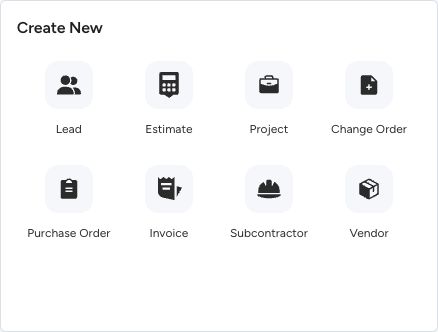
The Dashboard’s Create New panel. Choose the type of record you need.
- Estimates propose the work. Invoices bill for it.
- Change orders record adjustments to agreed scope.
- Purchase orders record what you buy from suppliers.
Step by step
Set up your company
Open Your Company in the sidebar. Check the business details and logo that you want clients to see on your documents.
Add the contact and project
Open Contacts to record the person you are working with. Create a project from the Dashboard and choose the client or lead to keep the job’s records together.
Prepare and send an estimate
Choose New Estimate, select the recipient, add the work and pricing, and review the payment schedule. Preview the document before using Send.
Invoice and track payment
Once the scope is agreed, use the estimate’s invoice conversion action. Check the invoice before sending it, then track online payments or log money you received elsewhere.
What happens next
You have a connected trail from the initial contact to the agreed work and the invoice. Creating a draft alone does not send it to your client.
Good to know
Use a change order when agreed scope changes. Use a purchase order for work or materials you buy from a vendor or subcontractor.
Sign in to use this feature. Available actions depend on your workspace access.